
Quick-Fact Box: Why is my Wi‑Fi slower than my fiber connection? (Direct answer)
If you’re using the built-in Wi‑Fi on our Ubiquiti ONU (Optical Network Unit), it’s totally normal to see Wi‑Fi speeds top out around ~100 Mbps, even if your fiber plan is much faster. That’s because the ONU is a beast at fiber-to-ethernet (wired performance) and its built-in Wi‑Fi is mainly there for basic setup or light use—think 1–3 devices.
Want to unlock the real “fiber-fast” experience (up to ~1.2 Gbps on ethernet) and keep your home network more secure? Use a secondary router connected to the ONU.
- Buy your own (Walmart, Amazon)
- Rent ours: $7.50/mo
- Buy ours: $129
Understanding Your Fiber Hardware: What Exactly is an ONU?
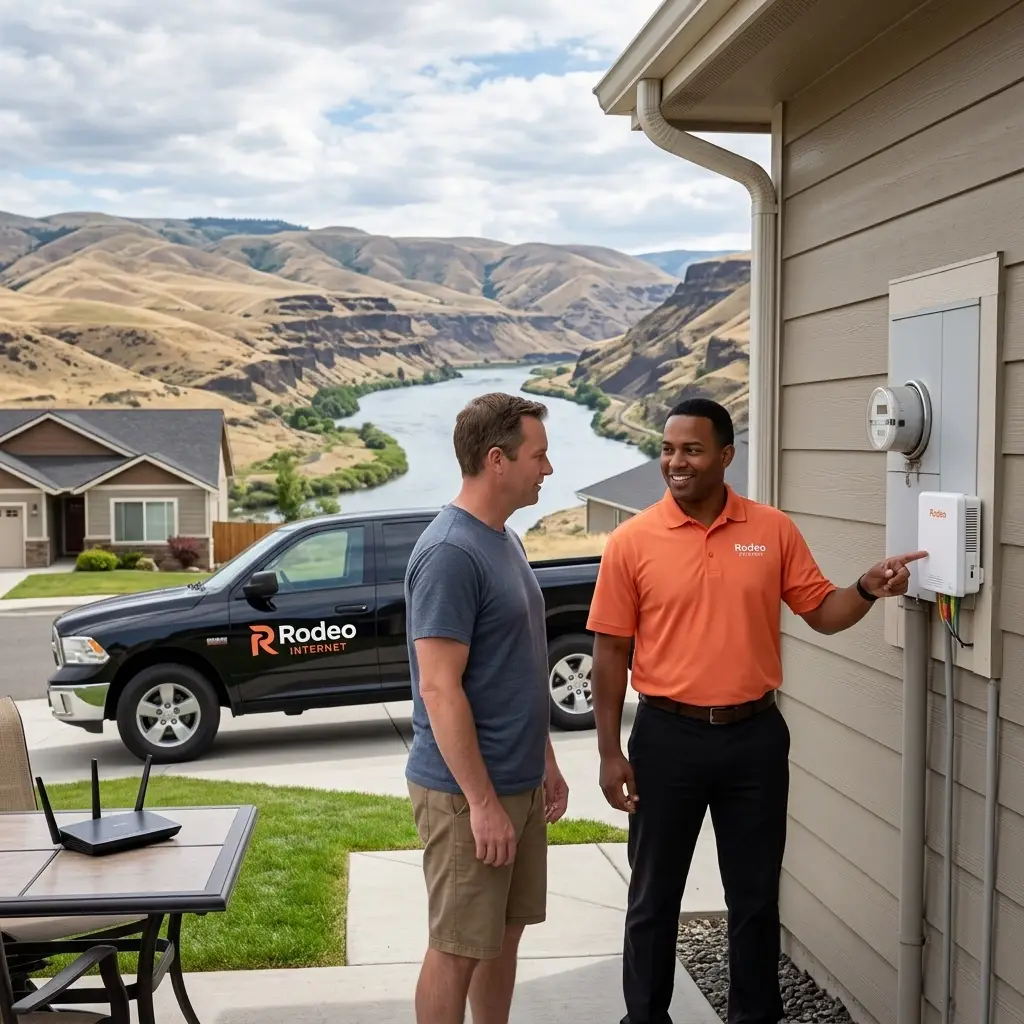
When we bring fiber internet into your home in Clarkston, WA or Ritzville, WA, we install a specialized piece of hardware called an ONU, or Optical Network Unit. At Rodeo Internet, we use industry-leading Ubiquiti ONUs.
Think of the ONU as the translator for your home. Outside on the street, data travels as pulses of light through glass strands. Your computer and phone, however, speak the language of electricity and radio waves. The ONU’s job is to take that light signal and turn it into high-speed data you can actually use.
The Ubiquiti ONU we provide is a powerhouse when it comes to wired connectivity. It features four dedicated Ethernet ports. Each of these ports is a “Superhighway,” capable of pushing 1.2 Gbps of data. If you plug a high-end gaming PC, a 4K smart TV, or a work-from-home station directly into one of these ports using a Cat6 cable, you are going to see the incredible, blistering speeds that make Rodeo the fastest internet in Lewiston and the surrounding valley.
The Wi-Fi Reality: Why 100Mbps is the Ceiling
We often get calls from our friends in the LC Valley asking, “Hey Rodeo, I have your 1-Gig fiber plan, but my speed test on my iPhone only shows 90 or 100Mbps. What gives?”
It’s a great question, and the answer is all about the “right tool for the job.”
While the Ubiquiti ONU has a built-in Wi-Fi feature, it is designed for very light, administrative use. It’s perfect if you just need to connect one laptop to check your email or if you have a single smart thermostat. However, it wasn’t built to be the “brain” of a modern smart home.
The Limitations of the ONU’s Internal Wi-Fi:
- Speed Cap: The internal Wi-Fi radio is physically limited. Even under perfect conditions, it generally won’t push more than 100Mbps.
- Device Capacity: It is designed to handle 1 to 3 devices comfortably. In 2026, the average home in Clarkston or Ritzville has dozens of devices: phones, tablets, smart fridges, doorbells, and streaming sticks.
- Connection Stability: When you try to connect more than three devices to the ONU’s Wi-Fi, the “brain” of the Wi-Fi radio gets overwhelmed. This often results in devices “dropping off” or needing to be reconnected constantly.
Security First: NAT vs. A Real Firewall
Another reason our sales team recommends a separate router isn’t just about speed: it’s about safety.
The ONU performs a function called NAT (Network Address Translation). This allows multiple devices in your home to share one IP address from us. While NAT provides a tiny bit of “obscurity,” it is not a firewall.
A dedicated Wi-Fi router acts as a security guard for your home. It actively inspects incoming data to block hackers, prevents unauthorized access to your smart cameras, and gives you features like Parental Controls. Without a dedicated router, your internal network is much more “exposed” to the wild west of the internet.
How to Unlock Your Full Potential: The “Wingman” Router
To get the most out of your fiber connection, you need a “Wingman.” By plugging a dedicated Wi-Fi router into one of the four high-speed Ethernet ports on the ONU, you effectively bypass the 100Mbps Wi-Fi limit and let your new router handle the heavy lifting.
When you use a secondary router, you are utilizing that 1.2 Gbps wired pipeline from the ONU to feed your router, which then broadcasts high-speed Wi-Fi 6 or Wi-Fi 7 throughout your home.
Comparison Table: ONU Wi-Fi vs. Dedicated Router
| Feature | ONU Internal Wi-Fi | Dedicated Wi-Fi Router (Recommended) |
|---|---|---|
| Max Wi-Fi Speed | ~100 Mbps | 1,000+ Mbps (Plan Dependent) |
| Device Capacity | 1-3 Devices | 50+ Devices |
| Security | Basic NAT Only | Full Firewall & Security Suite |
| Coverage Area | Small Room | Whole Home / Mesh Options |
| Reliability | May drop connections | Stable, Multi-band performance |
Your Solutions: How to Upgrade Your Home Network
We want every Rodeo Internet customer to have the best experience possible. Whether you are a resident in Clarkston or a business owner looking for the best fiber internet in Lewiston, we have three easy paths to getting you the speed you deserve.
Option A: The DIY Route (Buy Your Own)
If you’re tech-savvy or just like to shop around, you can pick up a router at big-box retailers like Walmart or Staples, or order one from Amazon.
- What to look for: Look for a “Wi-Fi 6” or “Wi-Fi 6E” router. Make sure it has a “Gigabit WAN port” so it can actually accept the high speeds coming out of our ONU.
Option B: Rent a High-Performance Router from Rodeo ($7.50/mo)
Don’t want to worry about tech specs or buying a device that might be outdated in two years? You can rent a managed, high-performance router directly from us for just $7.50 per month.
- The Perk: If it ever breaks or the technology changes, we replace it for free. Plus, our local technicians can help you troubleshoot it remotely if your Wi-Fi acts up.
Option C: Buy a Professional Router from Rodeo (Starting at $129)
If you want to own your gear but want the “Rodeo Seal of Approval,” we sell high-quality routers starting at $129. These are the same units our technicians use in their own homes. We can help you pick the right model for your house size, whether you’re in a downtown Clarkston apartment or a larger home in the heights.
Local Service Areas and Availability
It is important to remember that while our fiber network is expanding rapidly, the hardware needs might differ depending on where you live.
- Clarkston, WA & Ritzville, WA: Residential Fiber is live! Most homes in these areas will have the Ubiquiti ONU mentioned above. Using a separate router is highly recommended here to enjoy your residential fiber speeds.
- Lewiston, ID: Currently, we offer Business Fiber Internet throughout Lewiston. Businesses usually require even more robust firewall solutions than residential users, so a dedicated router/security appliance is a must for our Lewiston business partners. We also provide high-speed Fixed Point Wireless (FPW) across the entire LC Valley.
- Asotin, Anatone, & Lapwai: In these beautiful rural areas, we often provide Fixed Point Wireless (FPW). While the technology is different, the advice remains the same: a good internal router is the key to a great experience, especially for gaming and remote work where upstream stability is vital.
Final Thoughts from the Rodeo Team
At Rodeo Internet, we pride ourselves on being more than just an internet provider in Lewiston, Clarkston, or Ritzville. We are your neighbors. We want your Netflix to stream in 4K without buffering and your Zoom calls to be crystal clear.
The Ubiquiti ONU is an amazing piece of engineering that brings the world-class speed of fiber into your home. It’s the “engine” of your internet. But to get that power to your devices, you need the right “wheels”: and that’s a quality Wi-Fi router.
If you have questions about your specific setup or want to see if you can upgrade to a managed router, give us a call or stop by our downtown Lewiston office. We’re always happy to help you get the most out of your connection!
Ready to upgrade your home Wi-Fi? Check out our latest events and promotions or contact our sales team today to discuss renting or buying your next high-speed router. Let’s get those speeds up to where they belong!
#Rodeo Internet #Faster Wi-fi #LC Valley Internet #FastFiberinRitzville #Ritzville Internet
Comments are closed