30 GB
$30 / month
30 GB of monthly cellular data. Discuss your viewing and upload needs with Rodeo before choosing.
Ask about 30 GBKatalyst Hawk C401B · available from Rodeo
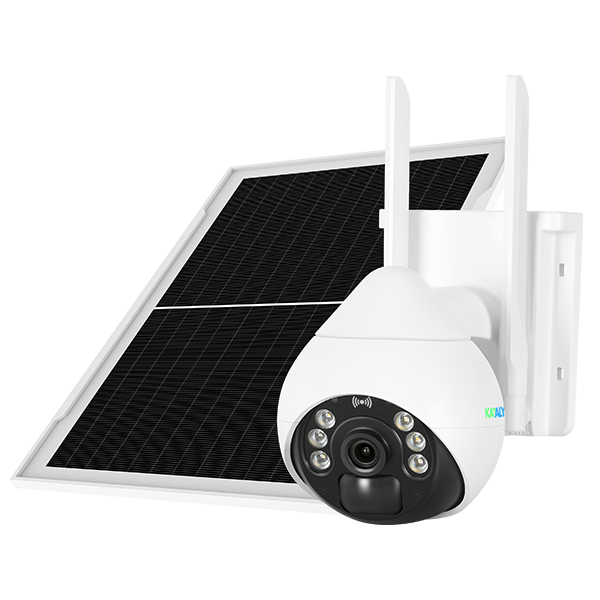
Keep an eye on the places your Wi-Fi does not reach. The Hawk LTE camera uses cellular service, solar charging and a phone app to help you check a yard, job site, farm or remote property.
4G LTE · Solar panel included · Rodeo configuration
Your Rodeo camera package
Camera, essentials and shipping together.
The one-time equipment package includes the camera and its solar panel, plus the items below. Choose cellular service separately so the plan fits how you use the camera.
Discuss the $249 packageMonthly service is separate. Confirm any applicable taxes, service terms and installation charges with Rodeo before ordering. On-site installation is not listed as part of this package.
Choose your connection
A few quick check-ins and frequent live viewing can use different amounts of data. Start with your intended use, then choose the monthly plan that makes sense for the site.
30 GB of monthly cellular data. Discuss your viewing and upload needs with Rodeo before choosing.
Ask about 30 GB50 GB of monthly cellular data. Review expected camera activity, uploads and remote viewing.
Ask about 50 GBUnlimited monthly cellular data. Ask about the selected carrier’s network-management rules and complete plan terms.
Ask about unlimitedThese are cellular data plans. Live viewing, uploads and camera settings affect usage. Coverage and network conditions affect performance. Optional app-based cloud storage is separate and may carry its own charges.
Watch where it matters
The Hawk LTE camera can suit a construction entrance, equipment yard, storage area or rural outbuilding. It connects over a supported LTE network, so a nearby Wi-Fi router is not required.
Use O-KAM Pro to check the live view, move the camera and review activity. Also, two-way audio lets you listen and speak through the camera when it is online.
Before mounting, check the cellular signal and place the solar panel where it gets useful sunlight. Shade, weather, temperature and camera activity all affect charging and runtime.
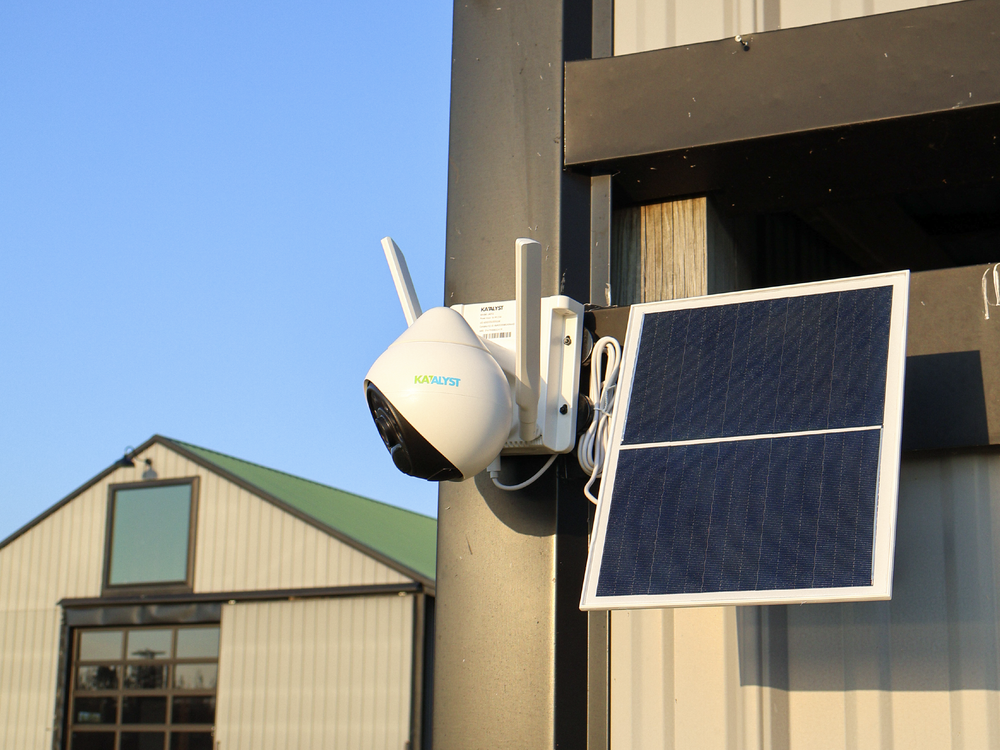
App-controlled pan and tilt help you look around the mounting point. Katalyst specifies 305° pan and 100° tilt.
Night vision, motion and human detection, and person tracking help you review activity. Settings and conditions affect results.
A TF card is included for local recording. The camera supports cards up to 256 GB; retention depends on card capacity and settings.
Know the equipment
| Model | Katalyst Hawk C401B |
|---|---|
| Cellular connection | 4G LTE Cat 4; supported carrier and site coverage required |
| Video | Up to 2K, with black-and-white and full-color night vision |
| Remote controls | 305° pan, 100° tilt and two-way audio through O-KAM Pro |
| Power | 8W solar panel and 8000 mAh internal battery |
| Storage | TF-card support up to 256 GB; optional app cloud storage |
| Outdoor rating | IP66; manufacturer operating range 14–140°F (−10–60°C) |
Specifications are from Katalyst’s Hawk user guide. Actual operation depends on setup, signal, power and conditions. Review the mounting site, cellular reception and power conditions before installation.
No. The camera uses a supported 4G LTE network and an active SIM. You still need usable cellular signal at the installation point, plus internet access on the phone used to view it. It is an LTE camera, not a 5G router.
The package includes the Hawk camera and solar panel, SIM card, TF storage card, Rodeo configuration and shipping. Monthly cellular service is separate. Ask Rodeo to confirm the supplied card capacity, taxes, installation needs and complete service terms for your order.
The choices are 30 GB for $30, 50 GB for $50, or unlimited data for $89 per month. Live viewing, uploads, recording settings and activity affect cellular usage. Describe how often you plan to watch the camera so Rodeo can help select a plan.
Unlimited is the data-plan option, not a promise of constant speed or priority. Ask Rodeo for the selected carrier's network-management rules and service terms before ordering. Coverage and network congestion can affect remote viewing.
Yes. The camera supports TF-card recording, motion and human detection, and alerts through O-KAM Pro. Recording retention depends on card capacity and settings. Optional cloud storage is managed through the app and may have separate charges; it is different from the cellular data plan.
The 8W panel needs a suitable location with useful sunlight. Shade, weather, temperature and camera activity affect charging and battery runtime. Check cellular reception, the panel position and mounting conditions before installation. Solar power does not guarantee uninterrupted operation.
Yes. O-KAM Pro provides remote pan-and-tilt controls, live viewing and two-way audio. The manufacturer specifies 305 degrees of pan and 100 degrees of tilt. Features depend on the camera being powered and connected.
Use the Contact form with your installation location, number of cameras and preferred data plan. Rodeo can review coverage, equipment and complete charges before you commit. The inquiry does not place an order or take payment.
Tell Rodeo where you want the camera and how you plan to use it.