
October 29, 2026
Does Your 5G Router Need an External Antenna? When (and Why) It Helps
Quick answer: When does a 5G router need an external antenna?
A 5G router may benefit from an external antenna when its indoor signal is weak or unstable, such as in a rural cabin, a home with signal-blocking walls or a metal roof, or an RV parked near the edge of coverage. An antenna can give the router a better place to receive cellular signals, but it won’t fix every slow connection. First check the signal and performance where the router is installed, then confirm that the antenna matches your router’s supported bands and ports.
Does a 5G router need an external antenna?
No. Many 5G routers and hotspots work well using their built-in antennas. An external 5G antenna is worth considering when moving the device to a better indoor location does not deliver a reliable connection. The result depends on the cellular bands available nearby, the antenna’s compatibility, its placement, and network conditions. It’s best to measure and test before buying equipment.
When can an external 5G antenna help?
An external antenna can help when the signal reaching a router indoors is weak or noisy. That can happen in a basement, behind concrete walls, in a metal-roofed building, or at a rural property far from a cell site. A rooftop, mast, or pole mount may give the antenna a clearer path than the router has inside. Rodeo Stampede 5G equipment follows the same rules, so what matters is the device, the bands, and the placement.
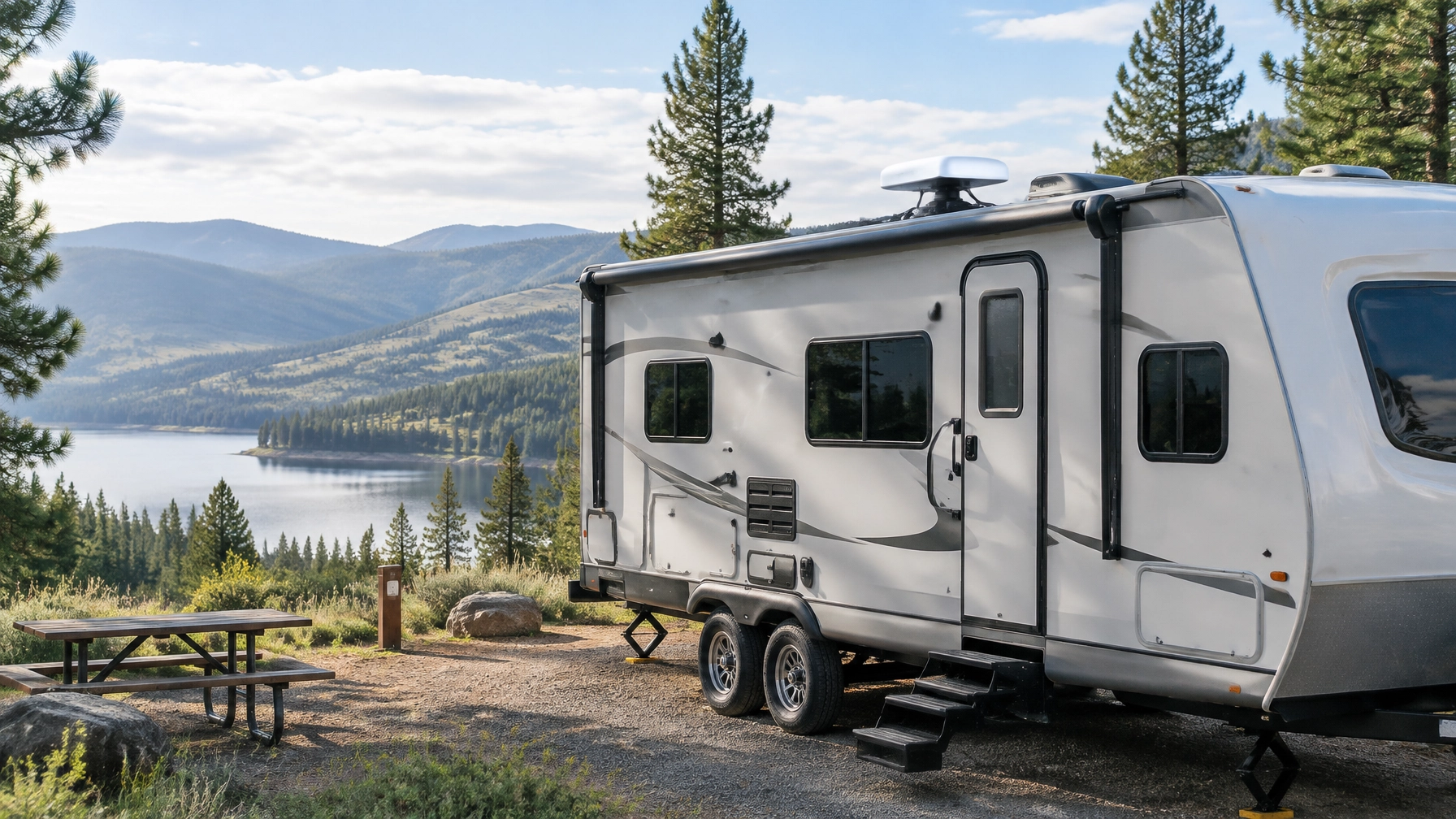
It can also make sense for mobile setups. An RV internet installation may use a roof-mounted antenna to receive a better signal at a campsite, while a boat may use a suitable antenna mounted higher on its mast. At an edge-of-coverage cabin, placing an antenna outside and above nearby obstacles could improve reception. Rodeo Stampede 5G works nationwide, so compatible equipment can travel with you, though coverage and performance vary by location and network.

How can you tell whether an antenna might improve performance?
Start with practical testing. Try the router in several places, especially high up and near different windows, and compare connection quality and real-world performance. If your router provides diagnostics, look beyond signal bars: values such as RSRP, RSRQ, and SINR can help show whether the received signal is weak or affected by interference.
Why can an antenna improve a 5G connection even when signal bars look okay? Signal bars are a simplified indicator and don’t tell the whole story. RSRP estimates received signal strength, while SINR compares the useful signal with interference and background noise. A router can show a reasonable signal level but still struggle if SINR is poor. A well-placed, compatible antenna may improve signal quality, which can help the router use its cellular connection more effectively. These readings are diagnostic clues, not promises of a particular speed.
If the signal is strong but internet performance remains slow, an antenna may not address the cause. Network congestion, the available cellular band, the router, Wi-Fi coverage inside your home, or other network conditions can all affect your experience. An antenna improves reception; it does not create extra network capacity.
Why do antenna bands and router ports matter?
A 5G antenna needs to support the frequency bands your router uses. Some routers have external antenna sockets designed for ranges such as 1700–2700 MHz and 3300–4200 MHz. Those ranges don’t cover every cellular frequency: an antenna limited to those bands may not help with low-band 600, 700, or 850 MHz reception.
Check the router’s specifications, its connector type, and which bands are available where you’ll use it before choosing an antenna. Some routers use small TS9 connectors; other devices may use different ports or have no external antenna connections at all. TS9 sockets can also cover specific frequency ranges, so having a connector that fits is not enough on its own. Some models require you to enable external antennas in the router’s settings. Manufacturer guidance from TP-Link and Zyxel illustrates why model-specific setup matters.
What does MIMO have to do with a 5G router antenna?
MIMO uses multiple antenna paths to help a router receive and transmit data. A compatible multi-antenna setup, connected to the correct router ports and positioned as intended, can support better signal quality and data performance. Adding one antenna lead to a device designed for multiple connections may not deliver the result you expect. Follow the router and antenna manufacturers’ instructions for the number of connections, spacing, and orientation.
Placement matters, too. Put the antenna as high as practical, clear of nearby obstructions, and, in the case of a directional antenna, pointed toward the serving tower. Keep cable runs short: longer cables can lose some of the signal the antenna receives. For roof or mast installations, use appropriate mounting hardware and weatherproof any cable entry points.

When won’t an external antenna help?
An antenna may not be necessary if your router already gets a strong, stable signal indoors and meets your needs. A hotspot without external antenna sockets generally can’t connect to a standard external antenna unless its manufacturer provides a supported option. And if the issue is network congestion, limited service in your precise location, or weak Wi-Fi between the router and your devices, a cellular antenna may not solve it.
Before ordering, check your router model, supported bands, antenna connectors, and setup options. If you’re unsure, Rodeo can help you understand what to check for your Rodeo Stampede 5G equipment.
How does 5G internet compare with satellite for RVs and cabins?
Where a usable cellular network is available, rural 5G internet can be an alternative to satellite, with hardware that may be less expensive and no satellite dish to aim. Satellite dishes typically need precise positioning and can be affected by heavy rain. A cellular antenna is often more forgiving to position, although a directional antenna still benefits from being aimed toward the relevant tower.
That’s part of why some people call 5G a “satellite killer,” especially for RVs, boats, and cabins within cellular coverage. But no technology wins in every location. Rodeo Stampede 5G uses 5G and 4G-LTE networks; actual coverage and performance depend on location, device, network conditions, and other factors. Terms, conditions, and performance caveats apply.
Rodeo Stampede 5G offers month-to-month plans and subscriber-agreement options; some plans include service in Canada and Mexico. Check Rodeo Stampede 5G for current plan details and eligibility.

Frequently asked questions about 5G external antennas
Do all Rodeo Stampede 5G routers support external antennas?
Not necessarily. External antenna support depends on the specific router or hotspot model, including whether it has antenna ports and which frequency bands those ports support. Check your device’s specifications before purchasing an antenna. For help with Rodeo Stampede 5G equipment, visit rodeointernet.com/5G or call 509-769-3030.
Will an external antenna fix a slow 5G connection?
Not always. It may help if weak or noisy reception is the issue, but it won’t resolve every cause of slow service, such as congestion, Wi-Fi problems, or network limitations. Compare router diagnostics and performance in different locations first.
Can I install an external antenna myself on my RV?
Some RV owners can install an antenna themselves if they follow the antenna and router manufacturers’ instructions. Use the correct mounting hardware, protect cable entry points from water, and check your vehicle’s roof construction before drilling. If you’re not comfortable with the installation, ask a qualified installer.
Do Cat 12–15 ratings tell me whether I need an antenna?
No. A router’s Cat rating describes capabilities of its cellular modem, not whether an external antenna is required or what speed you’ll get. Actual performance also depends on the signal, bands, network, device setup, and location. An antenna can improve reception in some situations, but it doesn’t guarantee a particular speed.
Is an external antenna the right choice for your Rodeo Stampede 5G setup?
Test your router’s placement and connection first. If reception is still weak, confirm that an antenna matches your router’s bands and connections before choosing a rooftop, mast, or pole installation. For 5G home internet, RV internet, rural properties, or a mobile setup, Rodeo can help you explore compatible Rodeo Stampede 5G options.
Visit https://www.rodeointernet.com/5G for more information, or call 509-769-3030 to talk with the team. Coverage, device compatibility, and performance vary; terms and conditions apply.
SEO title: Does Your 5G Router Need an External Antenna?
Slug: 5g-router-external-antenna
Meta description: Learn when a 5G external antenna can improve reception, how MIMO and frequency bands matter, and what RV and rural users should check first.
Focus keyphrase: 5G external antenna